Custom character presentation
Use avatar assets to change how your player is rendered.
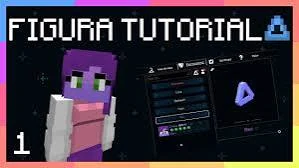
Figura Mod adds customizable player avatars to Minecraft, offering powerful tools for creating, editing, and showcasing unique character models.
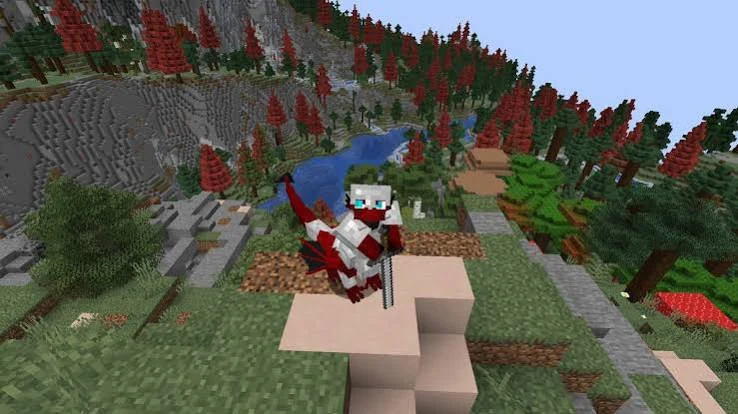
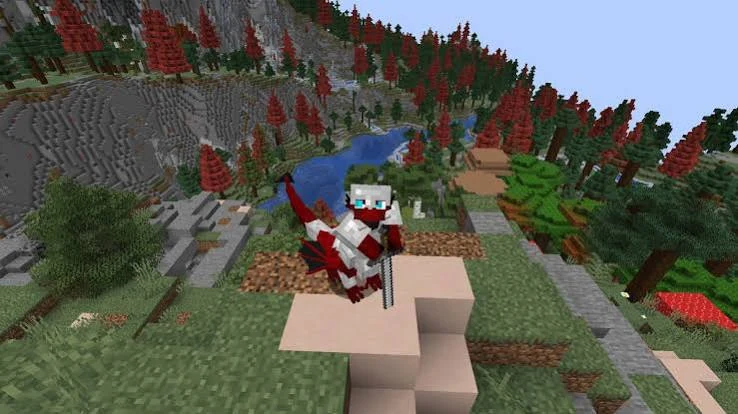
Figura is a Minecraft player-model customization mod built around custom avatars. It gives creators room to shape character models, textures, animations and avatar behavior for a more expressive in-game identity.
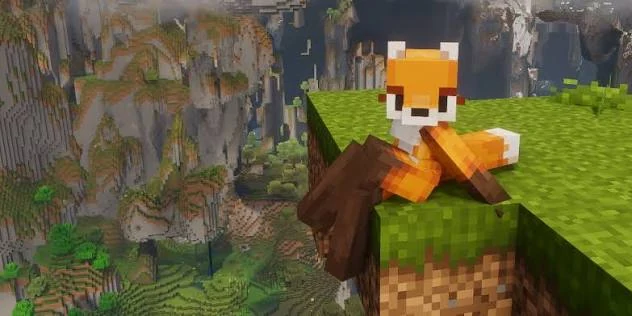
Instead of being limited to a standard skin, Figura lets an avatar carry custom visual identity through models, textures, animations and creator-made behavior.
Use avatar assets to change how your player is rendered.
Build models and animations, then load them through Figura's avatar system.
The provided file is a NeoForge .jar for Minecraft 1.21.4.
Figura focuses on expressive player customization rather than replacing Minecraft itself.
Present a personalized player model with unique proportions, styling and visual identity.
Organize visual components so complex character designs stay manageable and editable.
Add movement and expressive states to avatar elements for a more dynamic in-game presence.
Advanced avatar workflows can use scripting to control reactions and interactive behavior.
Switch avatar content independently from the core mod file without reinstalling Figura each time.
Keep installation and avatar files under your Minecraft instance so updates remain easy to manage.
Figura connects custom 3D avatar assets with Minecraft Java Edition, bringing personalized models, textures, animation and supported interactive behaviors to your player character.
Creators build an individual character with its own shape, textures and visual details, going beyond the appearance of a regular Minecraft skin.
Figura reads compatible avatar assets and makes the custom model available through its in-game avatar management interface.
Supported animations make movements and reactions feel more distinctive, while optional avatar scripts can provide additional interactions.
Once an avatar is selected, Figura displays its customized appearance in Minecraft. The result depends on the avatar assets and supported features.
Looking for setup instructions? Read the Figura Mod installation steps.
The supplied file is Figura 0.1.6+1.21.4. Its included metadata identifies NeoForge 21.3 or newer, Minecraft 1.21.4 or newer, and client-side dependencies.
The included .jar is not an add-on package for Minecraft Bedrock or Minecraft PE.
Use a loader and game version that match the build to avoid launch errors.
Figura expands Minecraft Java Edition character customization beyond a standard player skin. Build a recognizable identity, make movements more expressive or develop scripted avatar interactions.
Give your in-game persona a distinct silhouette, custom textures and visual details for roleplay worlds, storytelling and multiplayer communities.
Use custom avatar animations to bring gestures, reactions and motion to your Minecraft character. Keep animation complexity appropriate for your device.
Where supported, avatar scripts can power interactive actions and behavior tied to your custom model, helping creators build more than a static appearance.
Keep the setup simple: match your Minecraft and NeoForge versions, then place the Figura Mod file directly in the correct mods folder.
Use a Minecraft 1.21.4 instance with compatible NeoForge.
Download the provided Figura Mod .jar from the download section.
Open that Minecraft instance's mods folder.
Move the .jar into the folder as-is; do not extract it.
Launch the NeoForge profile and confirm Figura loads correctly.
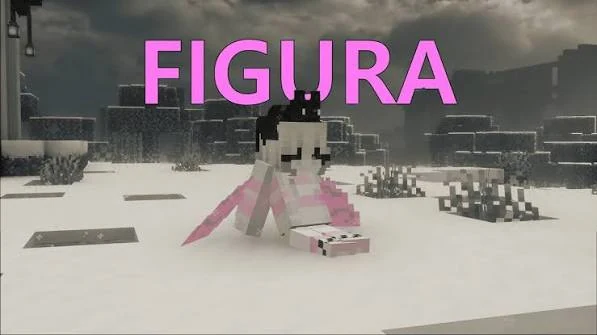
Download Figura 0.1.6+1.21.4 for Minecraft Java Edition with NeoForge. This is a client-side Java .jar mod that enables customizable player avatars, including compatible models, animations and scripts.
Install it in your Minecraft instance's mods folder using NeoForge 21.3 or newer. The included release is not a Minecraft PE or Bedrock add-on.
File: figura-0.1.6+1.21.4-neoforge-mc.jar · 2.29 MB
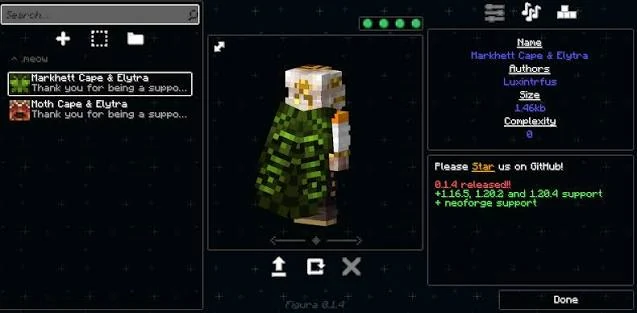
Use only mod files you intended to download, keep Minecraft and NeoForge versions aligned, and back up important worlds before changing a modded setup. This website supplies the file you provided for direct download and does not claim affiliation with Figura Mod or other third-party platforms.
These specifications come from the metadata inside the included Figura JAR. Check them against your Minecraft profile before installing.
Most first-launch problems come from a loader mismatch, an incorrect mods directory or avatar assets that need adjustment.
Read the full troubleshooting guide →Make sure the JAR is in the mods folder belonging to the profile you actually launch. Confirm Minecraft Java Edition 1.21.4 is running NeoForge.
This file requires NeoForge 21.3+ and targets Minecraft 1.21.4. Fabric, Forge and Bedrock setups cannot use the same bundled file.
Check that the model and texture assets follow Figura's supported avatar structure. Try loading a simpler compatible avatar to isolate the problem.
Reduce model complexity, animation frequency and expensive scripted effects. Compare performance with a simpler avatar before changing game settings.
Exactly 20 practical questions across setup, avatars, compatibility and troubleshooting.
Figura Mod is a Minecraft customization mod focused on player avatars, custom character models, animations and scripted avatar behavior.
The included file is Figura 0.1.6+1.21.4 for NeoForge, packaged as a .jar file for Minecraft 1.21.4.
Yes. The bundled release is the NeoForge build and its metadata identifies NeoForge as a required loader.
The provided build targets Minecraft 1.21.4 and declares Minecraft 1.21.4 or newer within its dependency metadata.
Install the matching NeoForge environment, place the Figura .jar in your Minecraft mods folder, then launch the matching Minecraft profile.
Place the downloaded .jar file inside the mods folder of the Minecraft instance that uses the matching NeoForge version.
No. Keep the file as a .jar and place it directly in the mods folder.
Yes. Avatar customization is the central purpose of Figura, including custom models, textures, animations and related avatar features.
Figura is designed around customizable player models and can support avatar assets and animations prepared for its avatar system.
The metadata in the provided build marks its NeoForge and Minecraft dependencies as client-side.
Check that the .jar is in the correct instance, that Minecraft is using NeoForge, and that the game version matches the included build.
Use a NeoForge profile compatible with the provided release. A different loader, such as Fabric, will not match this bundled NeoForge file.
Confirm the avatar files are in the expected location and format, then review the Figura interface for avatar errors or missing assets.
Complex models, many textures, intensive scripts and animations can increase client workload, so simplifying avatar assets can improve performance.
Yes. Avatar changes are separate from the core mod installation, so you can update or switch avatar content without reinstalling the .jar.
Figura can render a custom avatar in place of the normal player appearance while the underlying Minecraft account skin remains separate.
The provided file is a Java Edition NeoForge .jar and is not a native Minecraft PE or Bedrock package.
Remove the file to confirm the cause, then verify Minecraft, NeoForge and the Figura release versions match before testing again.
No. Figura is a third-party Minecraft mod and this website is not affiliated with Minecraft, Figura Mod or other third-party platforms.
Use the Guides page on this website for installation, avatar, compatibility, performance and troubleshooting articles.